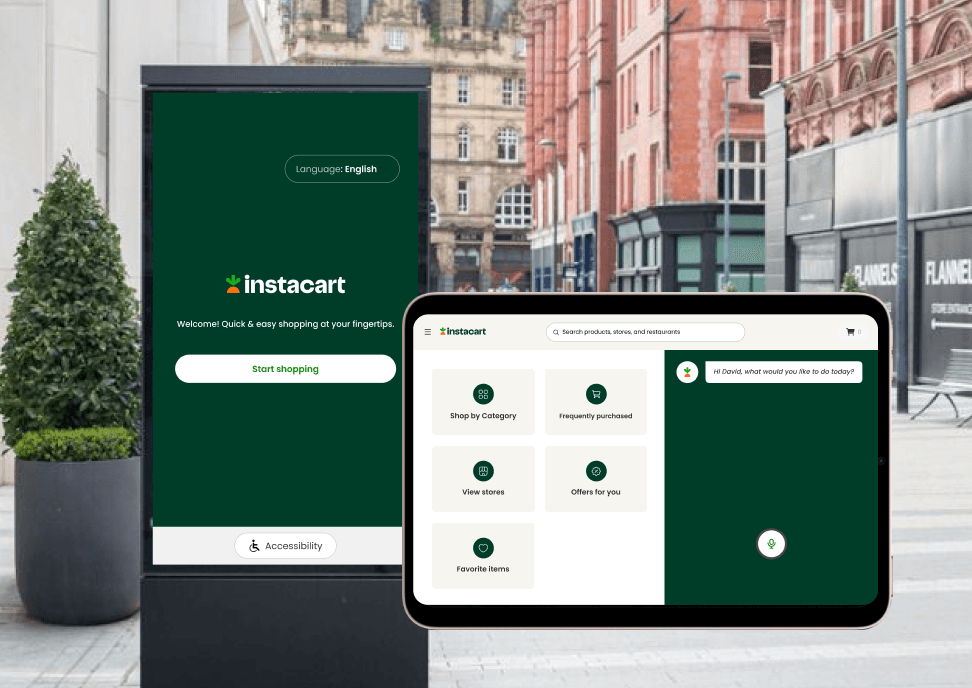
Redesigning Instacart for Home Hubs & Kiosks

Welcome! Quick & easy shopping at your fingertips.
Start shopping

Accessibility
Cancel order
Language: English

Shop by Category
View stores
Frequently purchased
Offers for you
Favorite items
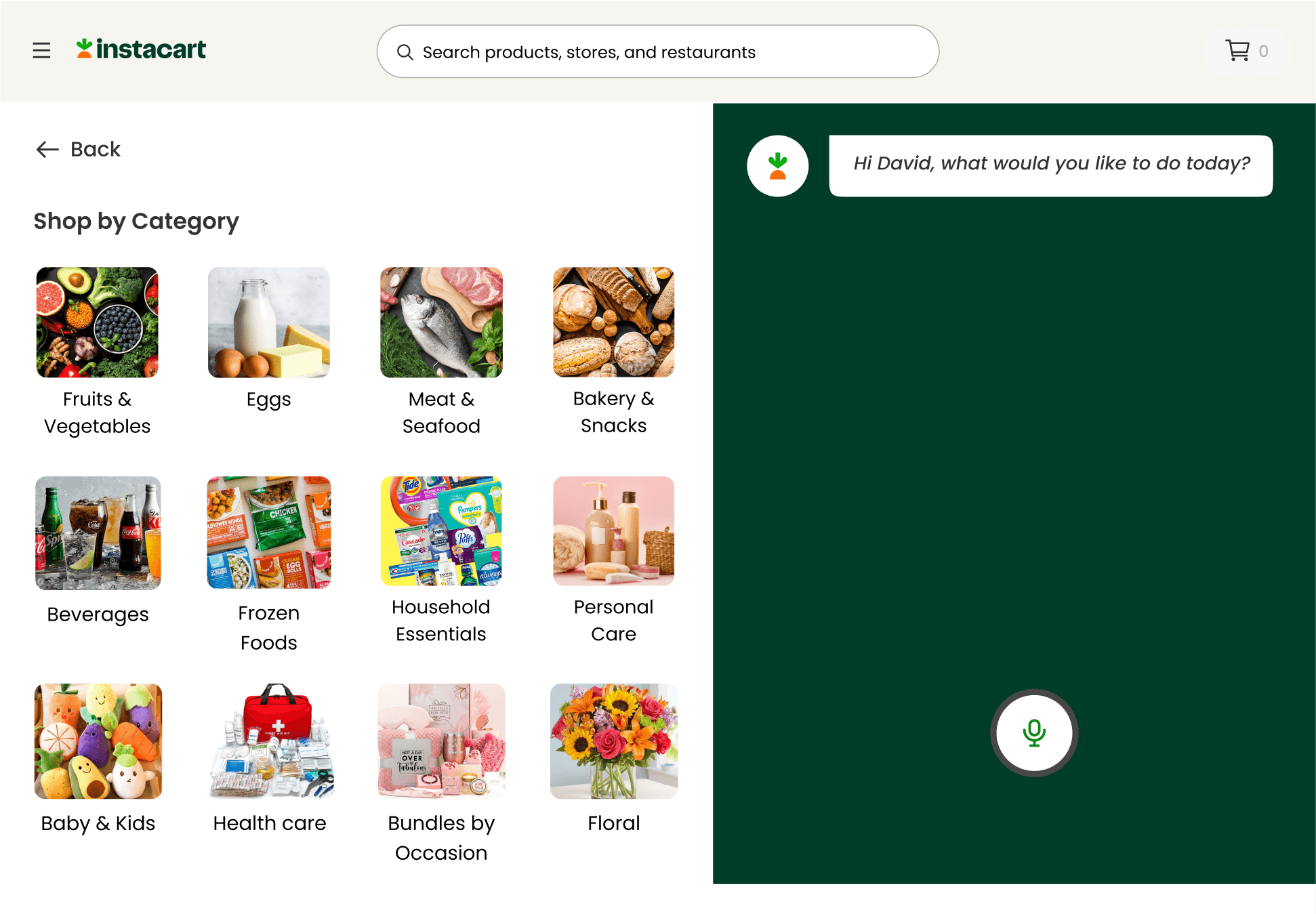
Hi David, what would you like to do today?
Search products, stores, and restaurants
0
Enhancing everyday shopping through smart technology while bridging accessibility and innovation for a frictionless experience.
Role
UI/UX Designer
Timeline
2 months
Project
Academic Project
What I did
UI Design, UX Design, Prototyping, Usability Testing
UI Design, UX Design, Prototyping, Usability Testing
Tools used
Figma, Miro
Link to Home Hub Prototype
Link to Public Kiosk Prototype
The Opportunity
The Opportunity
While online grocery shopping is largely limited to mobile and web, there are many everyday moments where using a phone is not the most convenient option.
While online grocery shopping is largely limited to mobile and web, there are many everyday moments where using a phone is not the most convenient option.
Situations like cooking in the kitchen, multitasking at home, or making quick purchases in public spaces create an opportunity to rethink how shopping can happen more naturally through other touchpoints.
Situations like cooking in the kitchen, multitasking at home, or making quick purchases in public spaces create an opportunity to rethink how shopping can happen more naturally through other touch points.
Project Overview
Project Overview
This project explores how Instacart’s shopping experience can extend beyond mobile and web into home hubs and public kiosks.
This project explores how Instacart’s shopping experience can extend beyond mobile and web into home hubs and public kiosks.
The goal was to design platform-specific journeys that improve accessibility, convenience, and speed while adapting to the unique context of each environment.
VIEW DESIGNS
The goal was to design platform-specific journeys that improve accessibility, convenience, and speed while adapting to the unique context of each environment.
VIEW DESIGNS
Why these platforms
Why these platforms
These two platforms were chosen because they represent very different shopping contexts and user behaviors. The goal was to explore how the same product experience could adapt to moments where users have different levels of attention, urgency, and interaction needs.
These two platforms were chosen because they represent very different shopping contexts and user behaviors.
The goal was to explore how the same product experience could adapt to moments where users have different levels of attention, urgency, and interaction needs.
Home Hub
Home Hub
Home hubs support hands-free, low-attention interactions, making them ideal for moments like cooking, multitasking, or quickly reordering essentials during daily routines. This environment prioritizes convenience, voice support, and minimal effort.
Home hubs support hands-free, low-attention interactions, making them ideal for moments like cooking, multitasking, or quickly reordering essentials during daily routines. This environment prioritizes convenience, voice support, and minimal effort.
Public Kiosk
Public Kiosk
Public kiosks are designed for quick, on-the-go interactions in shared spaces such as apartment lobbies, malls, and transit stations. The focus here is on speed, easy navigation, and fast checkout for users who need to make quick decisions.
Public kiosks are designed for quick, on-the-go interactions in shared spaces such as apartment lobbies, malls, and transit stations.
The focus here is on speed, easy navigation, and fast checkout for users who need to make quick decisions.
Proto-persona
Proto-persona
Before moving into screens, I started with a proto-persona to make sure the design stayed grounded in real user needs.
Before moving into screens, I started with a proto-persona to make sure the design stayed grounded in real user needs.
Home Hub
Home Hub
Home Hub

Name: Lisa Watson
Name: Lisa Watson
Name: Lisa Watson
Age: 35
Age: 35
Age: 35
Occupation: Architect
Occupation: Architect
Occupation: Architect
Location: Philadelphia
Location: Philadelphia
Location: Philadelphia
"I wish I could just say what I need and have it ordered instantly."
"I wish I could just say what I need and have it ordered instantly."
"I wish I could just say what I need and have it ordered instantly."
Goals
Goals
Goals
Easily order groceries while multitasking at home.
Easily order groceries while multitasking at home.
Easily order groceries while multitasking at home.
Quickly reorder essentials without manually browsing.
Quickly reorder essentials without manually browsing.
Quickly reorder essentials without manually browsing.
Pain points
Pain points
Pain points
Finds grocery shopping overwhelming due to lack of time.
Finds grocery shopping overwhelming due to lack of time.
Finds grocery shopping overwhelming due to lack of time.
Often forgets to restock household essentials.
Often forgets to restock household essentials.
Often forgets to restock household essentials.
Finds it frustrating to navigate through too many steps manually.
Finds it frustrating to navigate through too many steps manually.
Finds it frustrating to navigate through too many steps manually.
Public Kiosk
Public Kiosk
Public Kiosk

Name: Mark Davis
Name: Mark Davis
Name: Mark Davis
Age: 40
Age: 40
Age: 40
Occupation: Delivery Driver
Occupation: Delivery Driver
Occupation: Delivery Driver
Location: Philadelphia
Location: Philadelphia
Location: Philadelphia
"I don’t want to wait in lines or deal with checkout delays.”
"I don’t want to wait in lines or deal with checkout delays.”
"I don’t want to wait in lines or deal with checkout delays.”
Goals
Goals
Goals
Quickly order groceries while on a break.
Quickly order groceries while on a break.
Quickly order groceries while on a break.
Use a fast, self-service option without needing to speak to a cashier.
Use a fast, self-service option without needing to speak to a cashier.
Use a fast, self-service option without needing to speak to a cashier.
Easily find stores with the items he needs.
Easily find stores with the items he needs.
Easily find stores with the items he needs.
Pain points
Pain points
Pain points
Limited time for grocery shopping due to his work schedule.
Limited time for grocery shopping due to his work schedule.
Limited time for grocery shopping due to his work schedule.
Feature Prioritization with MoSCoW
Feature Prioritization with MoSCoW
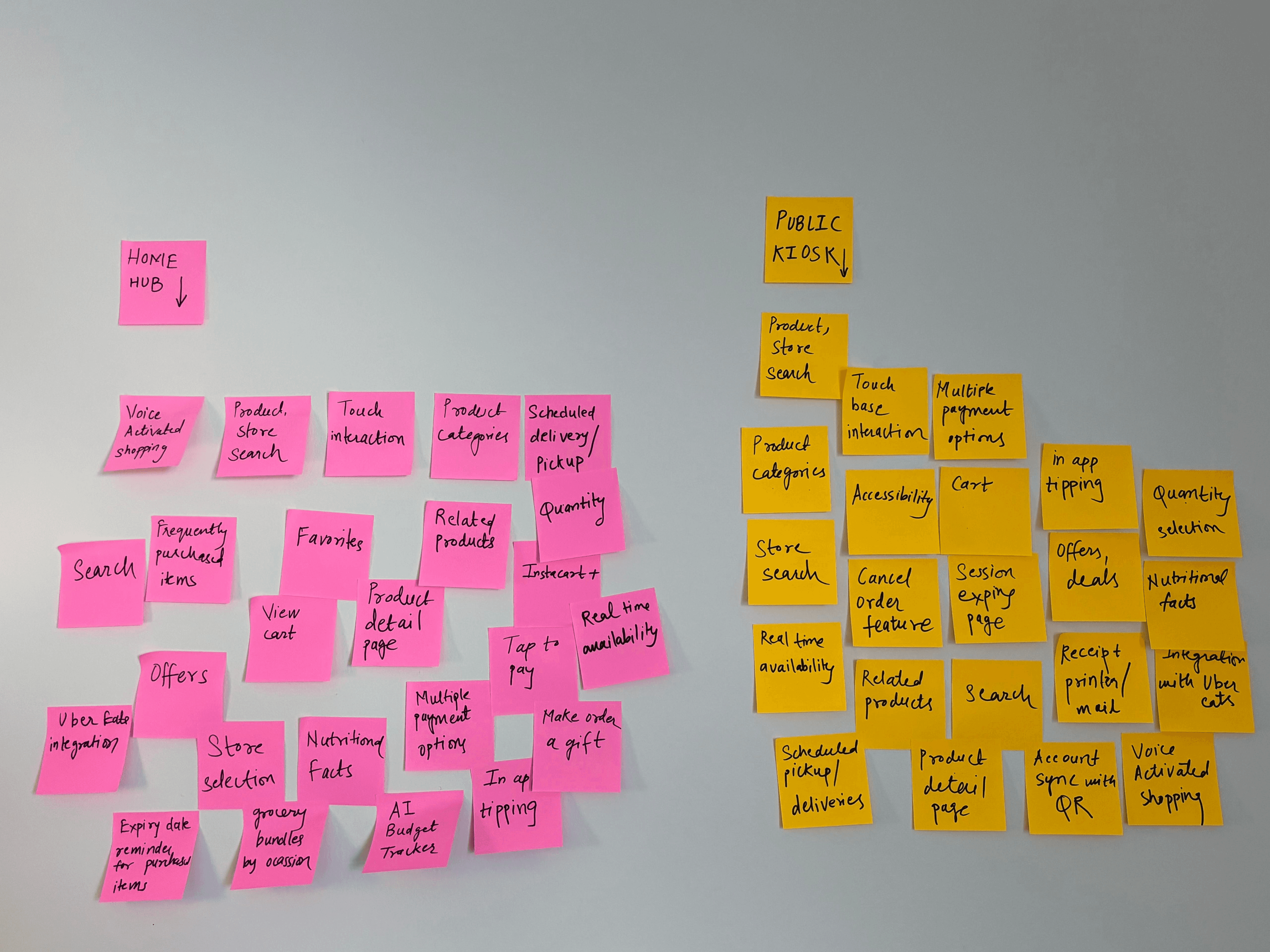
Next, I listed out all possible features and then prioritized what truly needed to be included. To do this, I used the MoSCoW method to organize features based on priority and user value.
Next, I listed out all possible features and then prioritized what truly needed to be included. To do this, I used the MoSCoW method to organize features based on priority and user value.
Home Hub
Home Hub
Below is the MoSCoW categorization of features for home hubs, focusing on hands-free convenience and reducing cognitive load for a seamless shopping experience.
Below is the MoSCoW categorization of features for home hubs, focusing on hands-free convenience and reducing cognitive load for a seamless shopping experience.
MUST HAVE
MUST HAVE
MUST HAVE
Voice-activated shopping
Voice-activated shopping
Voice-activated shopping
Product and store search
Product and store search
Product and store search
Touch based interaction
Touch based interaction
Touch based interaction
Product categories
Product categories
Product categories
Frequently purchased items
Frequently purchased items
Frequently purchased items
Offers
Offers
Offers
Wide store selection
Wide store selection
Wide store selection
SHOULD HAVE
SHOULD HAVE
SHOULD HAVE
View cart
View cart
View cart
Instacart+
Instacart+
Instacart+
related products based on selection
related products based on selection
related products based on selection
In-app tipping
In-app tipping
In-app tipping
Nutrition facts
Nutrition facts
Nutrition facts
Multiple payment options
Multiple payment options
Multiple payment options
Scheduled deliveries or pickup
Scheduled deliveries or pickup
Scheduled deliveries or pickup
Product detail page
Product detail page
Product detail page
Favorites
Favorites
Favorites
COULD HAVE
COULD HAVE
COULD HAVE
Make order a gift
Make order a gift
Make order a gift
Integration with Uber Eats
Integration with Uber Eats
Integration with Uber Eats
Expiry date reminders for purchased items
Expiry date reminders for purchased items
Expiry date reminders for purchased items
Custom grocery bundles by occasion
Custom grocery bundles by occasion
Custom grocery bundles by occasion
AI-powered grocery budget tracker
AI-powered grocery budget tracker
AI-powered grocery budget tracker
WON’T HAVE
WON’T HAVE
WON’T HAVE
Become a shopper
Become a shopper
Become a shopper
Multi-destination order splitting
Multi-destination order splitting
Multi-destination order splitting
Tap-to-Pay
Tap-to-Pay
Tap-to-Pay
Public Kiosk
Public Kiosk
Public Kiosk
Below is the MoSCoW categorization of features for public kiosks, ensuring quick navigation, accessibility, and ease of use in high-traffic environments.
Below is the MoSCoW categorization of features for public kiosks, ensuring quick navigation, accessibility, and ease of use in high-traffic environments.
Below is the MoSCoW categorization of features for public kiosks, ensuring quick navigation, accessibility, and ease of use in high-traffic environments.
MUST HAVE
MUST HAVE
MUST HAVE
Product and store search
Product and store search
Product and store search
Touch based interaction
Touch based interaction
Touch based interaction
Product categories
Product categories
Product categories
Wide store selection
Wide store selection
Wide store selection
Accessibility
Accessibility
Accessibility
Cancel order feature
Cancel order feature
Cancel order feature
Session expiry page
Session expiry page
Session expiry page
SHOULD HAVE
SHOULD HAVE
SHOULD HAVE
View cart
View cart
View cart
Real time availability
Real time availability
Real time availability
related products based on selection
related products based on selection
related products based on selection
Nutrition facts
Nutrition facts
Nutrition facts
Multiple payment options
Multiple payment options
Multiple payment options
Scheduled deliveries or pickup
Scheduled deliveries or pickup
Scheduled deliveries or pickup
Product detail page
Product detail page
Product detail page
Offers & deals
Offers & deals
Offers & deals
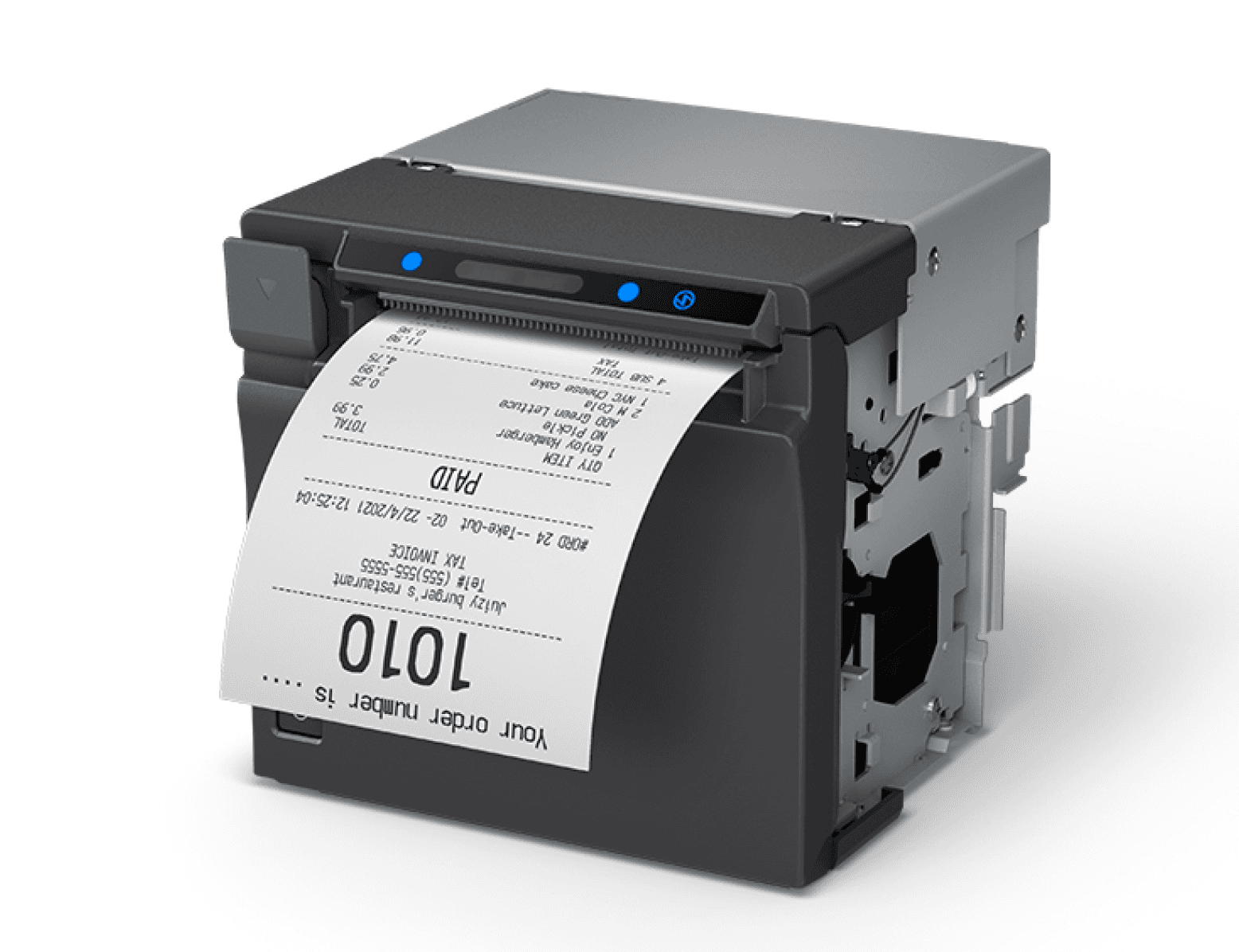
Receipt Printer
Receipt Printer
Receipt Printer
COULD HAVE
COULD HAVE
COULD HAVE
Make order a gift
Make order a gift
Make order a gift
Custom grocery bundles by occasion
Custom grocery bundles by occasion
Custom grocery bundles by occasion
In-app tipping
In-app tipping
In-app tipping
Donation
Donation
Donation
Account sync using QR code
Account sync using QR code
Account sync using QR code
WON’T HAVE
WON’T HAVE
WON’T HAVE
Become a shopper
Become a shopper
Become a shopper
Multi-destination order splitting
Multi-destination order splitting
Multi-destination order splitting
Voice-activated shopping
Voice-activated shopping
Voice-activated shopping
Instacart+
Instacart+
Instacart+
Integration with Uber Eats
Integration with Uber Eats
Integration with Uber Eats
Favorites
Favorites
Favorites
Ideation
Ideation
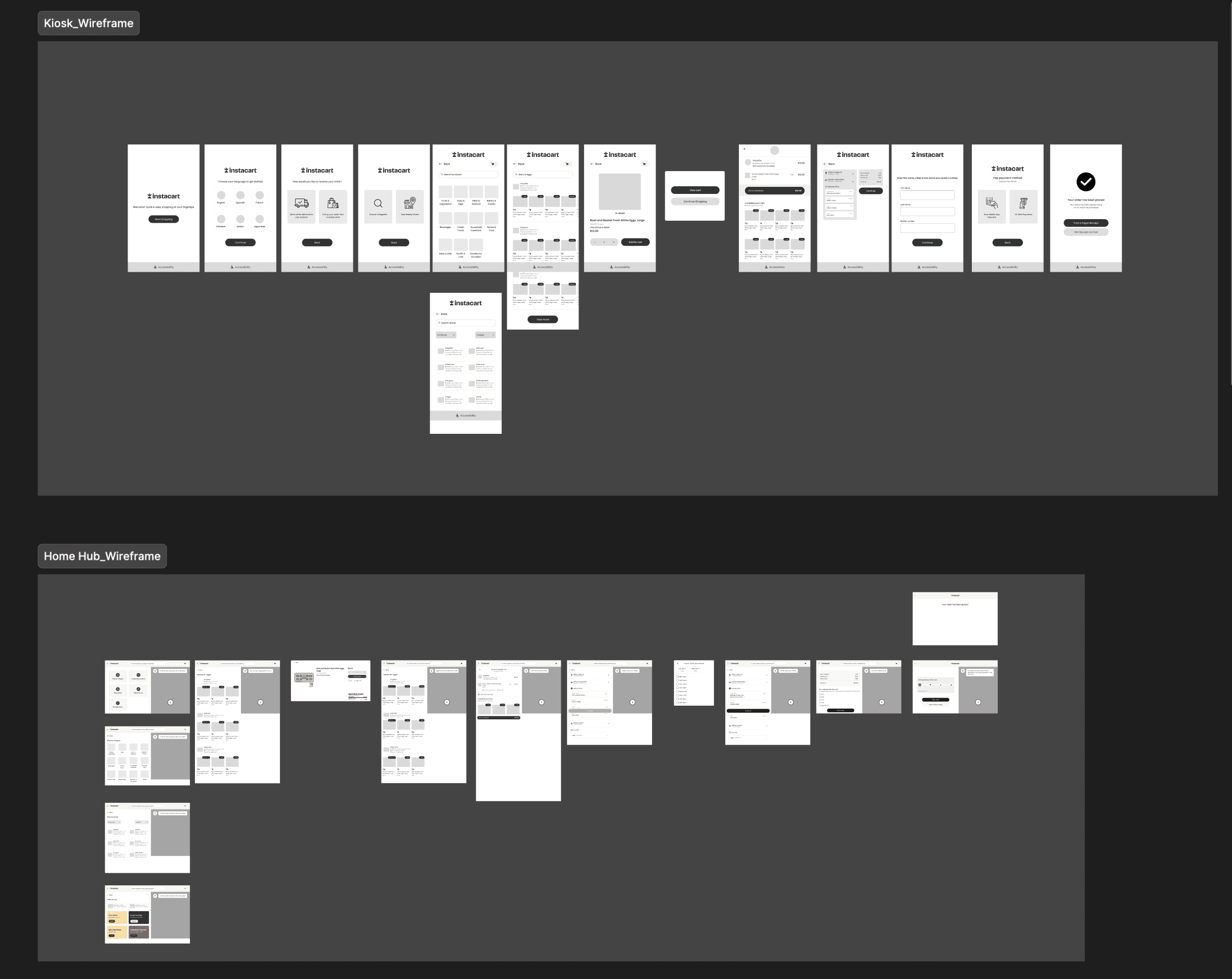
With the features prioritized, I moved into wireframes to quickly test layouts, flows, and how users would move through the experience. This helped me catch problems early and improve the experience before polishing the screens.
With the features prioritized, I moved into wireframes to quickly test layouts, flows, and how users would move through the experience. This helped me catch problems early and improve the experience before polishing the screens.
Value-Driven Features for Non-Traditional Screens
Value-Driven Features for Non-Traditional Screens
Public Kiosk
Public Kiosk
1
Accessibility
Accessibility
The public kiosk is designed to be accessible to all users, including those with disabilities. Features like Magnifier Mode enhance readability, while Reach Mode supports users with limited mobility. These enhancements create a more inclusive shopping experience, making quick and independent grocery shopping possible for everyone.
The public kiosk is designed to be accessible to all users, including those with disabilities. Features like Magnifier Mode enhance readability, while Reach Mode supports users with limited mobility. These enhancements create a more inclusive shopping experience, making quick and independent grocery shopping possible for everyone.
In Reach Mode, the navigation bar is placed at the bottom of the screen to make shopping easier for users with limited mobility or those using a wheelchair. It has arrow keys for navigation, along options like Cancel Order and View Cart to help users shop independently and comfortably.
In Reach Mode, the navigation bar is placed at the bottom of the screen to make shopping easier for users with limited mobility or those using a wheelchair. It has arrow keys for navigation, along options like Cancel Order and View Cart to help users shop independently and comfortably.
2
Session Expiry Feature for Security
Session Expiry Feature for Security
Since the kiosk is used by many people, the session expiry page helps keep user data safe. To protect users information, the kiosk automatically detects inactivity and displays a session expiry timer. If the user doesn’t resume, the session ends preventing their details from being misused. This feature keeps grocery shopping safe and worry-free in a public setting.
Since the kiosk is used by many people, the session expiry page helps keep user data safe. To protect users information, the kiosk automatically detects inactivity and displays a session expiry timer. If the user doesn’t resume, the session ends preventing their details from being misused. This feature keeps grocery shopping safe and worry-free in a public setting.
3
Multiple Payment Options
Multiple Payment Options
Not all shoppers prefer the same payment method, so the kiosk offers multiple options. Users can complete their purchase by tapping their phone or swiping a card. This ensures a smooth, efficient checkout experience at the kiosk.
Not all shoppers prefer the same payment method, so the kiosk offers multiple options. Users can complete their purchase by tapping their phone or swiping a card. This ensures a smooth, efficient checkout experience at the kiosk.
Tap payment method
Tap payment method
Total to Pay: $16.00
Total to Pay: $16.00
Scan Mobile App Payment
Scan Mobile App Payment

All other Payments
All other Payments

Accessibility
Accessibility
Cancel order
Cancel order
Back
Back
4
Receipt Option for Convenience
Receipt Option for Convenience
Receiving a receipt in any format ensures users don’t lose their purchase details. This feature allows users to choose between a mobile receipt or a paper receipt, giving them flexibility based on their preference. Those who prefer a digital copy can receive it via text, while others can opt for a printed receipt if they need a physical record.
Receiving a receipt in any format ensures users don’t lose their purchase details. This feature allows users to choose between a mobile receipt or a paper receipt, giving them flexibility based on their preference. Those who prefer a digital copy can receive it via text, while others can opt for a printed receipt if they need a physical record.
Print Receipt
Print Receipt
Print a Paper Receipt
Print a Paper Receipt
Get Receipt via Text
Get Receipt via Text
Your order has been placed
Your order has been placed
Your items has been placed and is on it’s wayto be processed
Your items has been placed and is on it’s wayto be processed

5
Multi-Language Support for Inclusivity
Multi-Language Support for Inclusivity
Since the kiosk is used by a wide range of people, it is set to English by default but also offers an option to switch to different language depending on the region where the kiosk is placed. This ensures that users, regardless of their language preference, can easily interact with the system, making grocery shopping more user-friendly.
Since the kiosk is used by a wide range of people, it is set to English by default but also offers an option to switch to different language depending on the region where the kiosk is placed. This ensures that users, regardless of their language preference, can easily interact with the system, making grocery shopping more user-friendly.
Welcome! Quick & easy shopping at your fingertips.
Welcome! Quick & easy shopping at your fingertips.
Start shopping
Start shopping
Accessibility
Accessibility
Cancel order
Cancel order
Language: English
Language: English
Home Hub
6
Quick Access to Essentials
Quick Access to Essentials
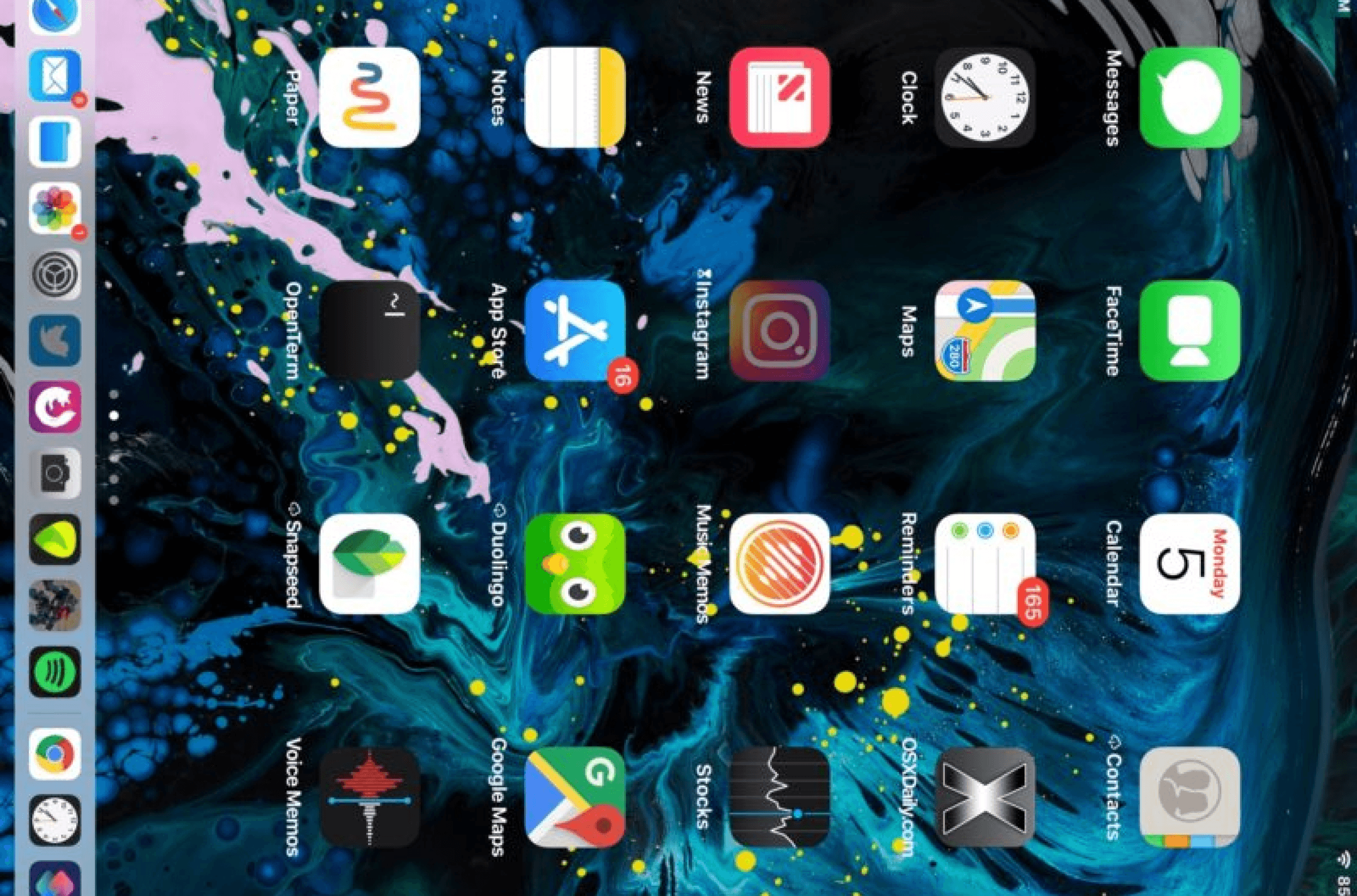
The Instacart Home Hub homepage is designed with busy individuals, parents, and multitaskers in mind. By featuring cards like Shop by Category, Frequently Purchased, View Stores, Offers for You, and Favorite Items, the interface allows for quick access to important sections. This reduces cognitive load, so users don’t have to waste time searching for what they need and simplifies their experience.
The Instacart Home Hub homepage is designed with busy individuals, parents, and multitaskers in mind. By featuring cards like Shop by Category, Frequently Purchased, View Stores, Offers for You, and Favorite Items, the interface allows for quick access to important sections. This reduces cognitive load, so users don’t have to waste time searching for what they need and simplifies their experience.
Features Unique to these Platforms
Features Unique to these Platforms
Home Hub and Public Kiosk (Common Feature)
Home Hub and Public Kiosk (Common Feature)
Product Category Page
Product Category Page
Unlike the mobile app, the "Browse Categories" option on the kiosk and home hub helps users explore available products instantly, rather than going through the extra step of selecting a store first. This helps users save time, make better decisions, and complete their shopping faster and more efficiently. It’s beneficial for busy shoppers who need to minimize the steps in their shopping journey.
Unlike the mobile app, the "Browse Categories" option on the kiosk and home hub helps users explore available products instantly, rather than going through the extra step of selecting a store first. This helps users save time, make better decisions, and complete their shopping faster and more efficiently. It’s beneficial for busy shoppers who need to minimize the steps in their shopping journey.
Search products
Search products
Back
Back
Fruits & Vegetables
Fruits & Vegetables

Eggs
Eggs

Meat & Seafood
Meat & Seafood
Bakery & Snacks
Bakery & Snacks

Beverages
Beverages
Frozen Foods
Frozen Foods

Household Essentials
Household Essentials

Personal Care
Personal Care

Baby & Kids
Baby & Kids

Health care
Health care

Bundles by Occasion
Bundles by Occasion

Floral
Floral
Accessibility
Accessibility
Cancel order
Cancel order
0
0
Home Hub
Home Hub
Voice-Activated Shopping
The voice assistant on the Instacart Home Hub helps users to complete their shopping tasks quickly and easily with just their voice. Unlike the current mobile app or website, which rely on touch-based interactions, this feature eliminates the need to navigate through menus or type product names. Users can simply ask the assistant to find items, add them to their cart, making it a faster and efficient experience.
The voice assistant on the Instacart Home Hub helps users to complete their shopping tasks quickly and easily with just their voice. Unlike the current mobile app or website, which rely on touch-based interactions, this feature eliminates the need to navigate through menus or type product names. Users can simply ask the assistant to find items, add them to their cart, making it a faster and efficient experience.
Leveraging Platform’s Hardware
Home Hub
Microphone and Speaker Integration
The Home Hub uses built-in microphone and speaker to provide hands-free, voice-activated shopping. Users can simply speak to the device, and the microphone picks up commands from a distance while the speaker provides responses.
Public Kiosk
Microphone and Speaker Integration
The Home Hub uses built-in microphone and speaker to provide hands-free, voice-activated shopping. Users can simply speak to the device, and the microphone picks up commands from a distance while the speaker provides responses.
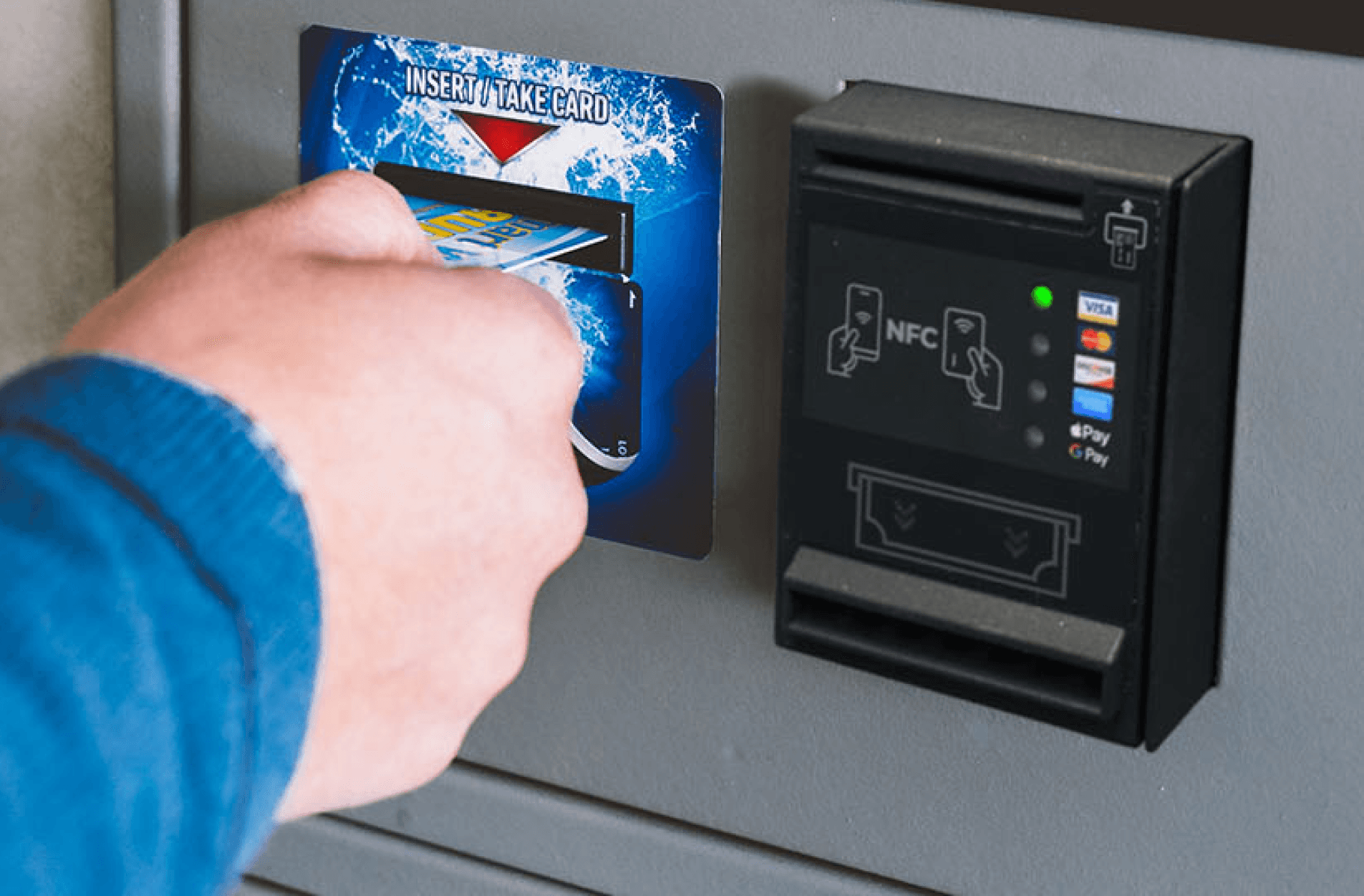
Payment Methods
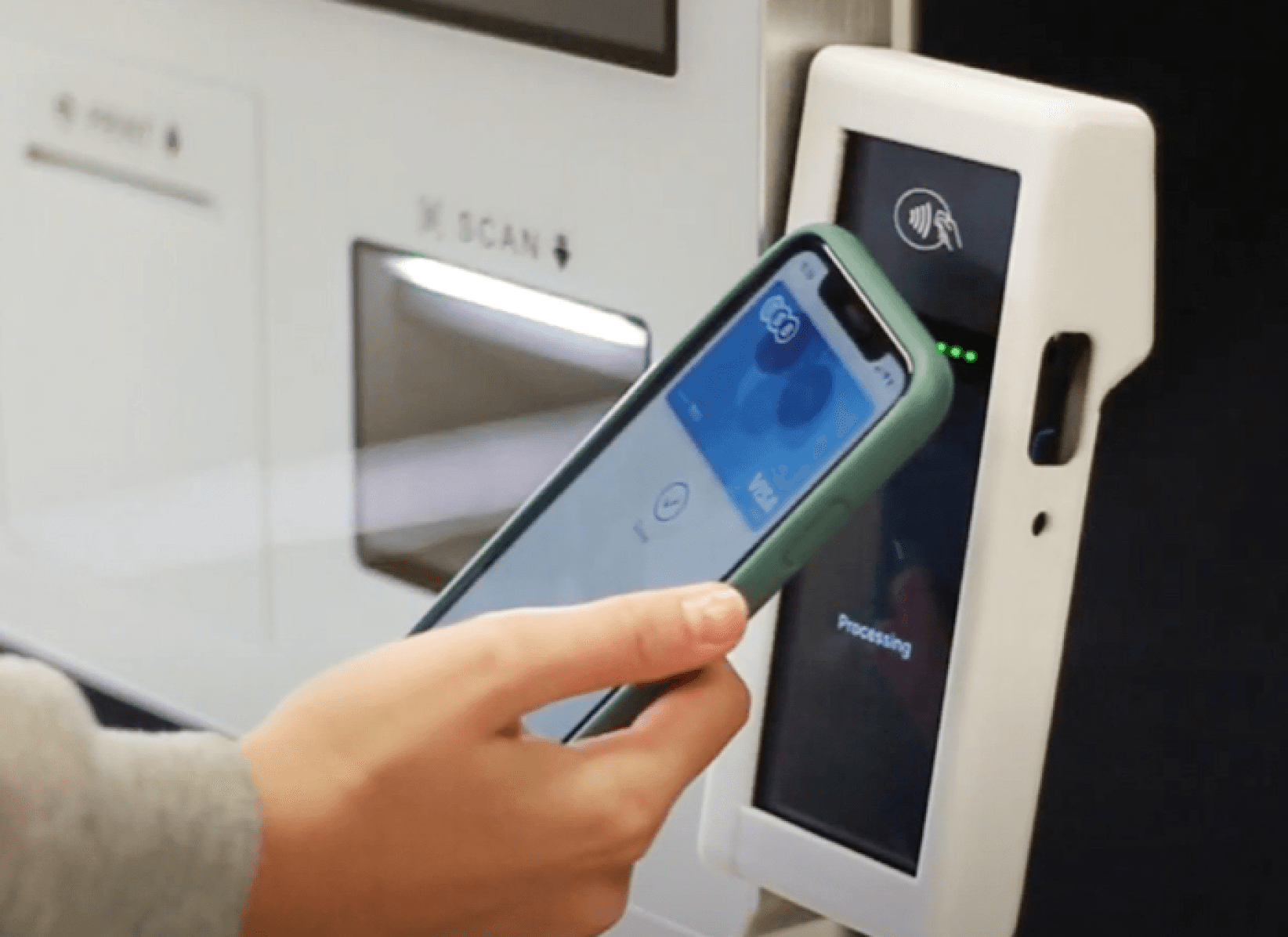
The Public Kiosk uses hardware like a card reader and NFC (Near Field Communication) sensor, allowing users to pay in two ways. They can either tap-to-pay using mobile wallets like Apple Pay or insert a card into the card reader for traditional payment. This flexibility ensures users can choose their preferred payment method based on what they have available.
Usability Testing
Usability Testing
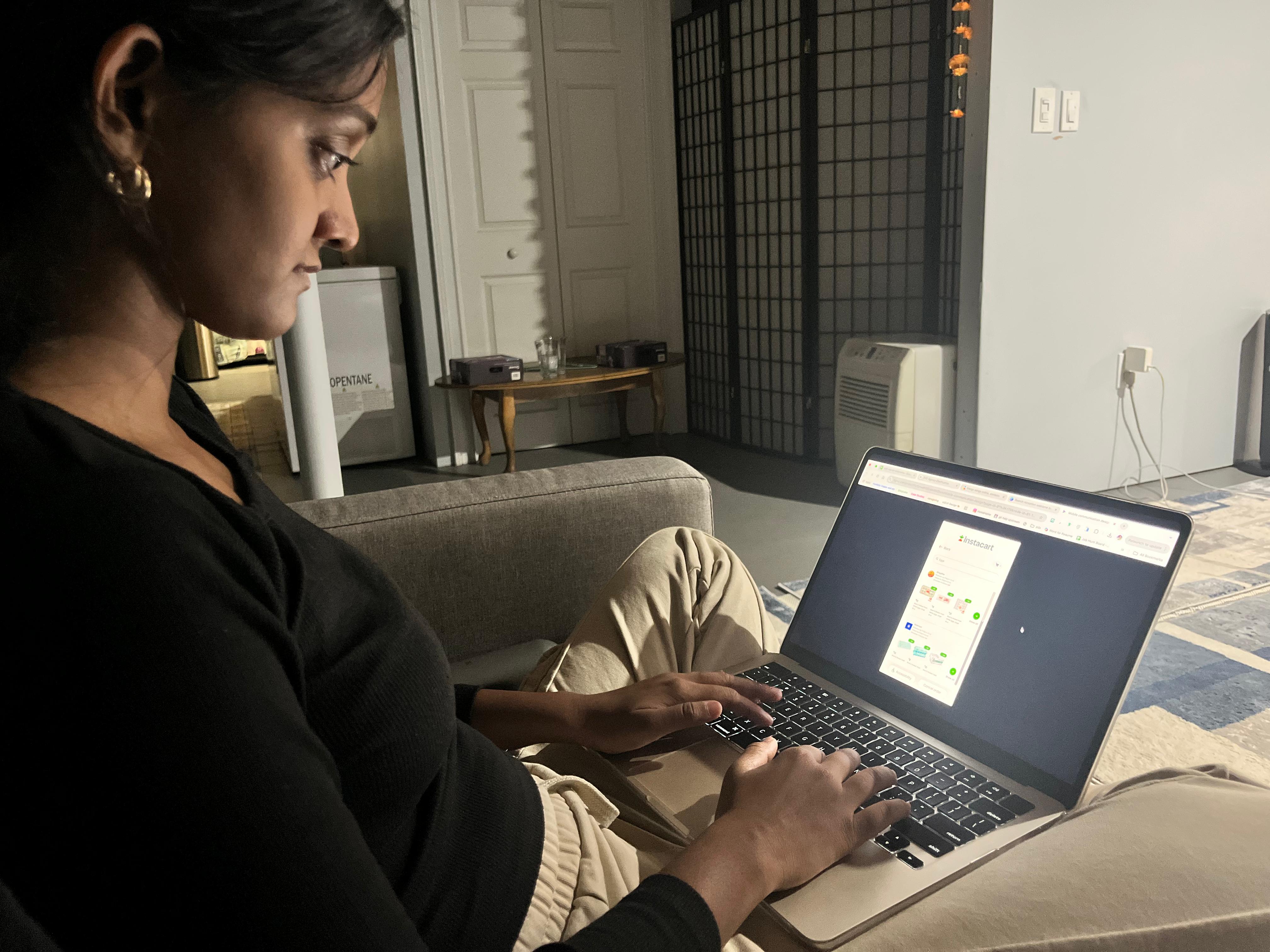
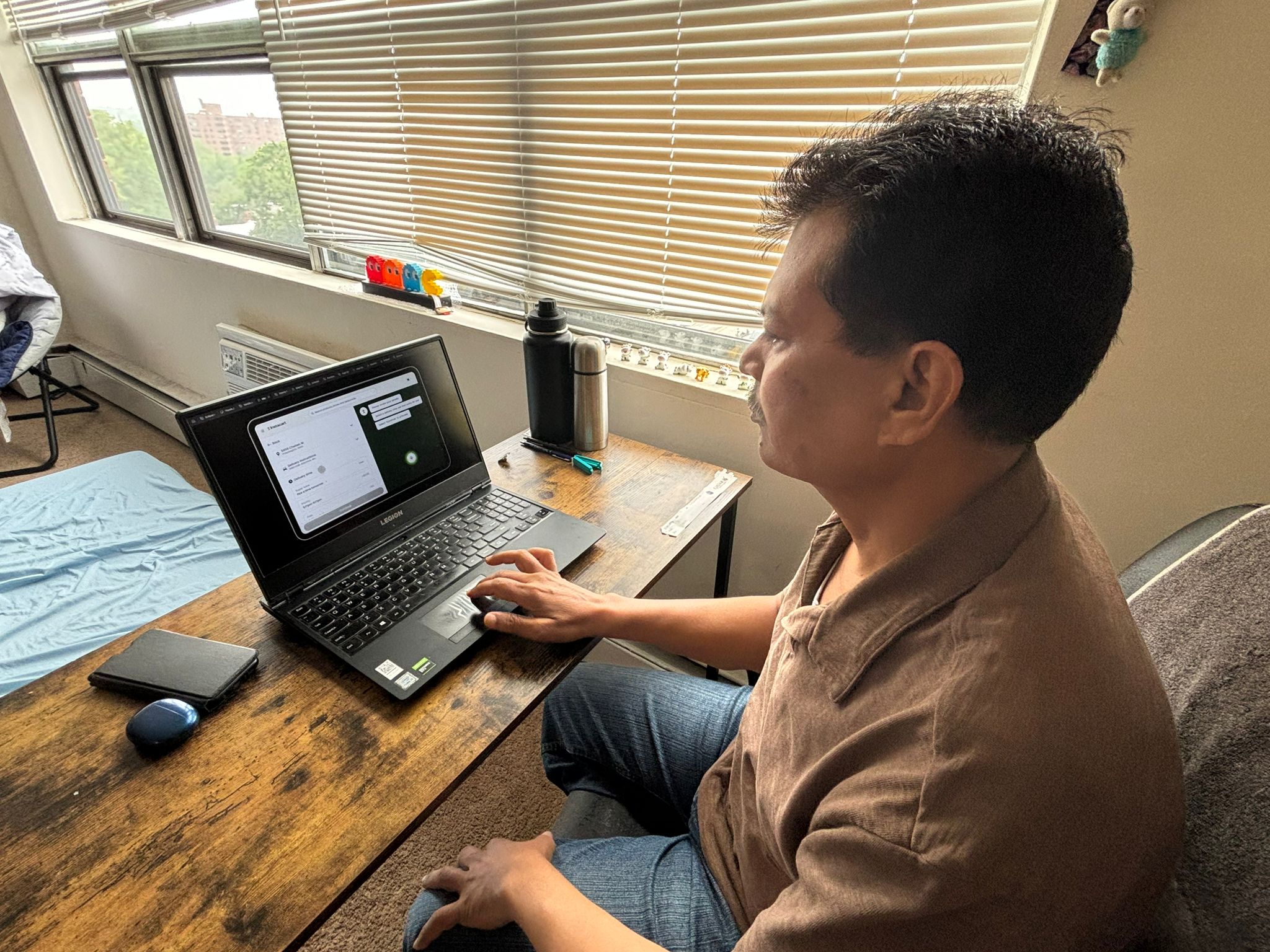
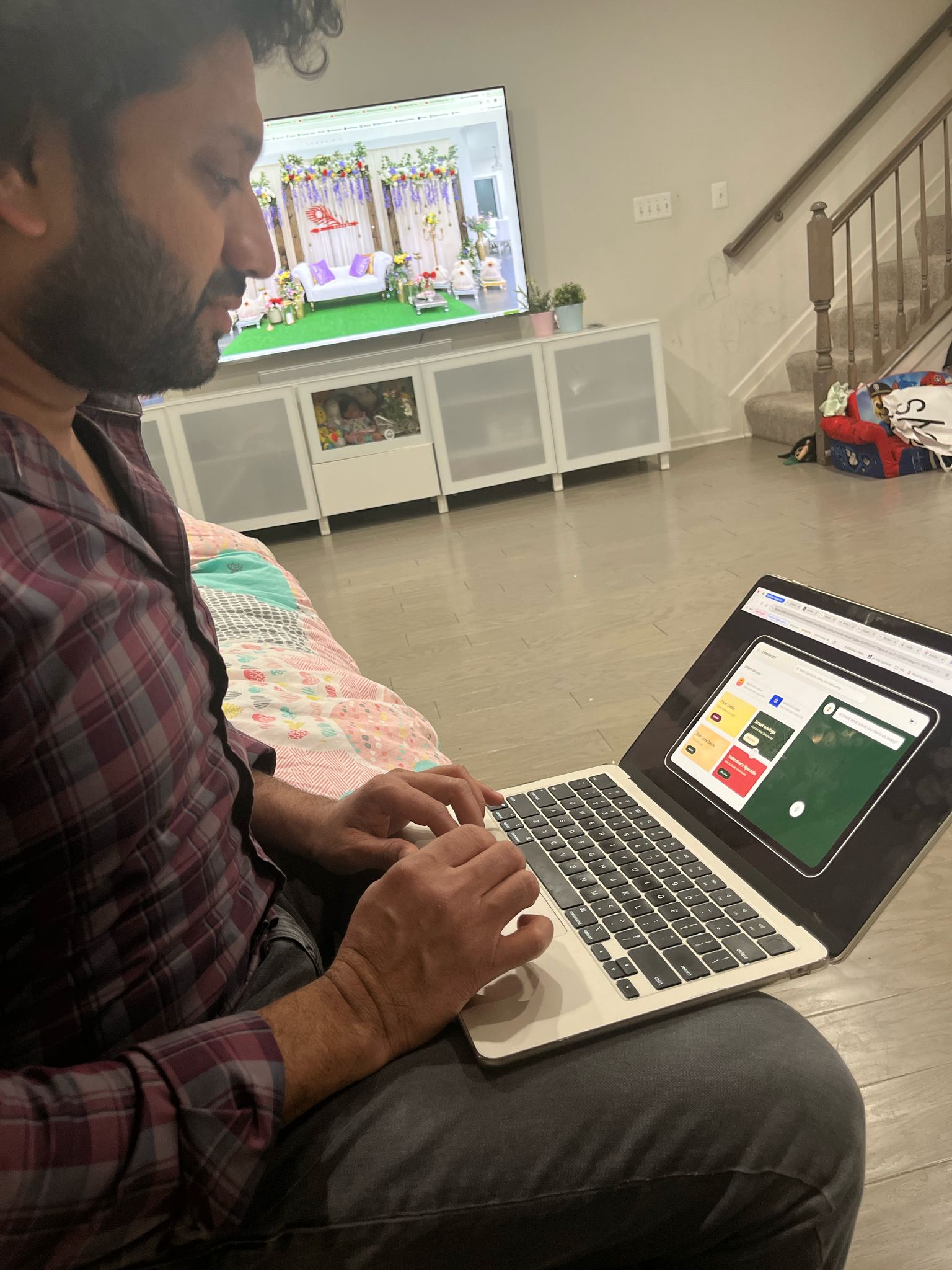
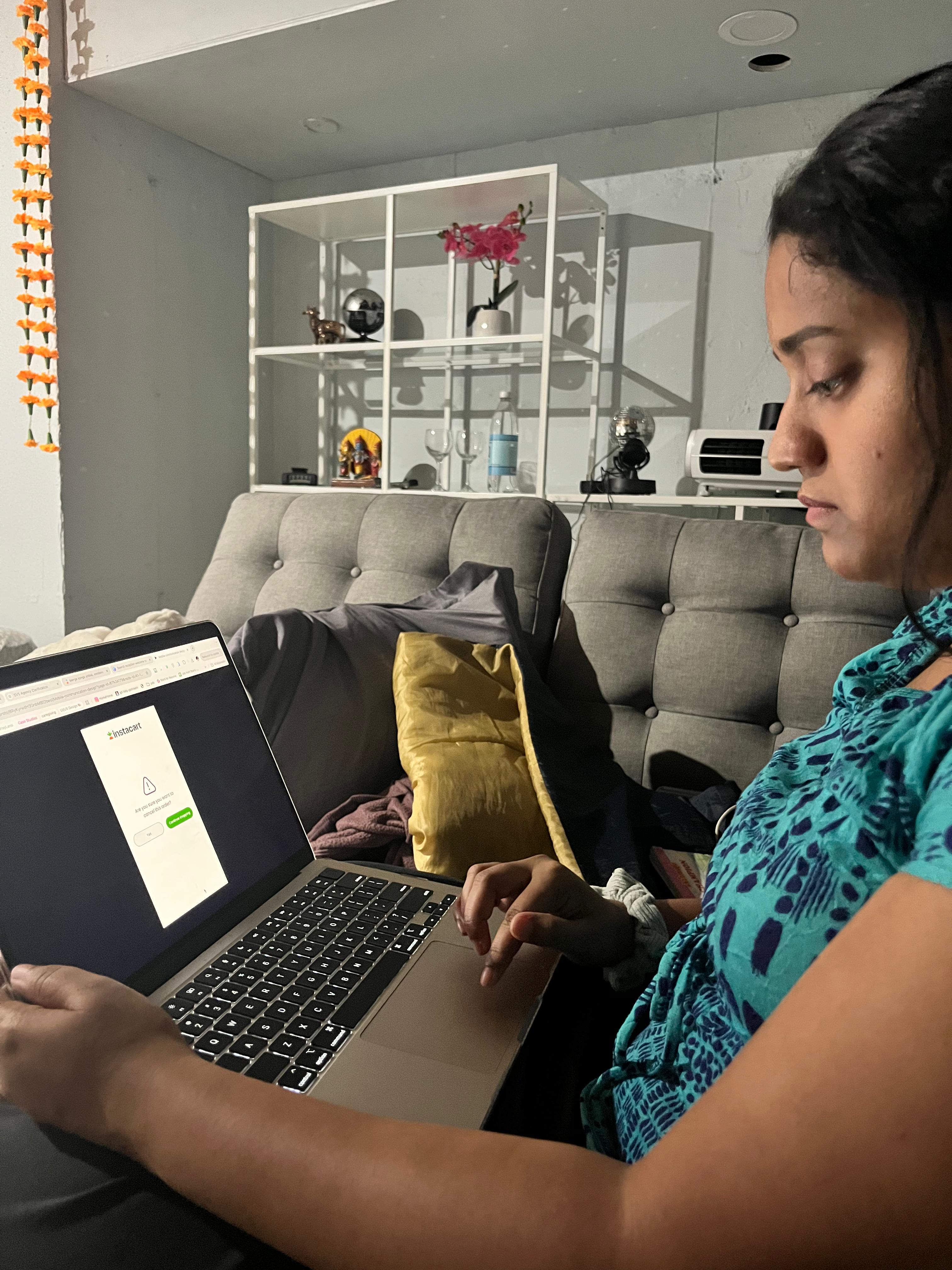
To evaluate the effectiveness of the redesigned Instacart experience for Home Hub and Kiosk platforms, usability testing was conducted with 4 participants for each prototype.
To evaluate the effectiveness of the redesigned Instacart experience for Home Hub and Kiosk platforms, usability testing was conducted with 4 participants for each prototype.
What worked?
Users loved Home Hub’s voice assistant feature for hands-free shopping without screen interaction.
Users loved Home Hub’s voice assistant feature for hands-free shopping without screen interaction.
Home Hub’s homepage made it easy to access important sections, saving them time and effort.
Home Hub’s homepage made it easy to access important sections, saving them time and effort.
Public kiosk’s session expiry page was appreciated for privacy protection.
Public kiosk’s session expiry page was appreciated for privacy protection.
What didn’t?
Some users found the Home Hub’s font size a bit small for quick readability from a distance.
Some users found the Home Hub’s font size a bit small for quick readability from a distance.
Users suggested adding a scan-and-login option to the public kiosk to avoid manually entering their address and details.
Users suggested adding a scan-and-login option to the public kiosk to avoid manually entering their address and details.
Outcome
Outcome
Home Hub
Home Hub
97%
Avg. Task Completion Rate
17 sec
Avg. Task Completion Time
4.7/5
Ease Score
Public Kiosk
Public Kiosk
94%
Avg. Task Completion Rate
13 sec
Avg. Task Completion Time
4/5
Ease Score
Key Takeaways
Key Takeaways
Working on this project was a great opportunity as this was my first time designing for non-traditional screens like a kiosk and home hub interface. It helped me understand the importance of designing for convenience and accessibility.
Working on this project was a great opportunity as this was my first time designing for non-traditional screens like a kiosk and home hub interface. It helped me understand the importance of designing for convenience and accessibility.
Instacart’s goal of making grocery shopping simpler and more efficient guided me in designing features that would be quick and easy for users. One of the biggest takeaways was learning the important principles for designing for a kiosk such as using larger button size keeping in mind the fat fingers principle, readable font, image clarity, and focusing on overall accessibility for better user experience.
Instacart’s goal of making grocery shopping simpler and more efficient guided me in designing features that would be quick and easy for users. One of the biggest takeaways was learning the important principles for designing for a kiosk such as using larger button size keeping in mind the fat fingers principle, readable font, image clarity, and focusing on overall accessibility for better user experience.
One of the interesting part in this project was to think how hardware integration plays a key role in making the system work smoothly. By considering how the hardware, like the card reader, NFC for tap-to-pay, and microphone for voice control, works with the software, I was able to create a smoother and easier experience for users.
One of the interesting part in this project was to think how hardware integration plays a key role in making the system work smoothly. By considering how the hardware, like the card reader, NFC for tap-to-pay, and microphone for voice control, works with the software, I was able to create a smoother and easier experience for users.
Reimagining grocery shopping for new environments
Role
Product Designer
Timeline
8 weeks (2025)
Project Type
Academic Project
Tools Used
Figma, Miro